
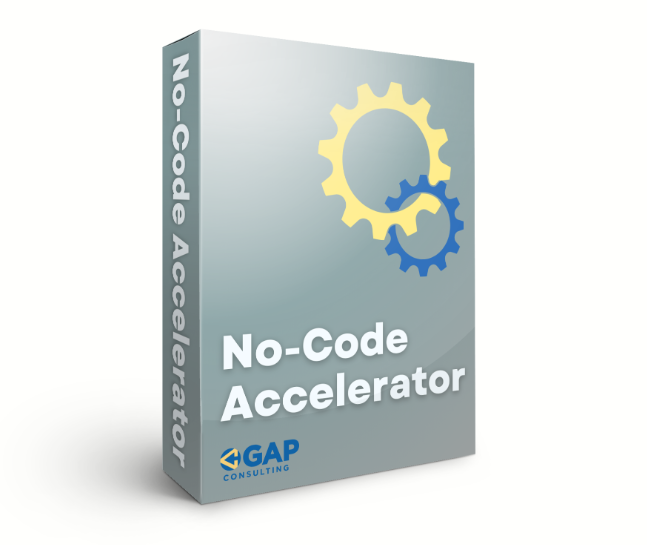


So you’ve seen the hype around no-code tools and maybe you’re thinking: Is this the year I finally build that app, automate my workflow, or just stop getting lost in spreadsheet purgatory? Enter the Gareth Pronovost No-Code Accelerator. Maybe you’ve caught Gareth on YouTube (the Airtable guy with that snazzy blue backdrop), or someone’s dropped the course link in a Slack channel. You’re wondering: Is this accelerator all flash and no substance, or could it really kick my tech project into high gear, even if I can’t code more than ‘print(“hello world”)’?
Let’s dig into what this course actually delivers, who it fits best, and if it’s the real deal for launching your no-code journey in 2025.
Key Takeaways
-
- The Gareth Pronovost No-Code Accelerator offers a project-based, hands-on experience perfect for those who want to build real apps or automate workflows without traditional coding.
-
- Participants gain direct access to live group coaching, feedback on their actual projects, and a supportive community, which sets the accelerator apart from many generic no-code courses.
-
- The curriculum guides you from no-code fundamentals through tool mastery and all the way to launching your MVP, focusing on practical outcomes using Airtable, Zapier, Softr, Glide, and Make.
-
- User experience is streamlined with an intuitive portal, mobile-friendly lessons, and minimal technical prerequisites—most tools feature free starter plans.
-
- While the No-Code Accelerator requires genuine weekly commitment, it delivers tangible results for anyone serious about bringing their tech ideas to life in 2025.
Overview and Key Features
Picture this: You’re staring at your messy workflow, thinking, “There HAS to be a better way.” Gareth Pronovost’s No-Code Accelerator promises to be your rescue squad. In essence, it’s an intensive program designed for business owners, product managers, and, frankly, the ‘non-technical types’ who want to build software without learning Python or JavaScript.
What’s inside?
-
- A Project-Based Approach: Instead of just watching videos, you’ll actually build real solutions using tools like Airtable, Zapier, Softr, Glide, and Make. (Yes, you’ll finish with something you can show off at happy hour… or your boss.)
-
- Live Group Coaching: Weekly calls with Gareth and his team. Bring your toughest roadblocks, these sessions are the heart of the program.
-
- Direct Feedback: Small cohorts mean real attention to your work. You’re not just a face in a sea of Zoom tiles.
-
- Exclusive Templates and Resources: You get templates, cheat sheets, and what Gareth calls his “secret sauce” automations, giving you a running start.
-
- Community Access: Connect with other founders and automation enthusiasts in a private Slack/Discord group. Think: peer reviews and accountability, with a bit of meme-sharing.
If you’re tired of ‘passive learning’ and want to actually get your hands dirty (minus all the overwhelming tech jargon), this checklist of features is a huge plus.
Program Structure and Curriculum
Let’s break down what your week-to-week commitment really looks like, you know, so you can pencil it between Taco Tuesday and doomscrolling on Twitter.
Phase 1: Foundations
You’ll kick off with no-code fundamentals, think Airtable basics, automations, and database essentials. No programming background? No sweat.
Phase 2: Project Discovery & Scoping
Here you map out your actual project. Forget examples you’ll never use: this is personal. Gareth helps you define a real-world app or workflow you want to launch.
Phase 3: Tool Mastery
Airtable, Zapier, Make, Glide, Softr, every week spotlights a new tool. Short explainers, demos, and practical challenges (e.g., “Automate your client onboarding, for real this time.”)
Phase 4: Implementation and Feedback
Here’s where you build, test, and, brace for it, break things. Weekly feedback calls make troubleshooting less scary and more collaborative. You ship a working MVP, not a dusty Google Doc “plan.”
Phase 5: Launch and Beyond
It all comes together as you prep, polish, and (dramatic drumroll) officially launch your no-code solution. Bonus weeks and optional sessions cover scaling, user testing, and even monetization nudges.
Insider note: The curriculum is flexible, so your progress isn’t handcuffed if life (read: surprise toddler tantrums or day job drama) gets in the way.
Evaluation Criteria
You might be thinking: How do I even know if this program is worth my time (and not just another productivity black hole)? Let’s get practical. Here’s how I’ve broken down my criteria after test-driving the Accelerator last fall:
-
- Clarity of Instruction: Are lessons explained simply, or am I stuck Googling every third phrase?
-
- Level of Interactivity: Is it watch-and-yawn, or do I actually have to roll up my sleeves?
-
- Progression and Accountability: Do I feel nudged along, or is it easy to drop off?
-
- Depth vs. Breadth: Am I actually learning enough to build something real, or just skimming the surface?
-
- Support and Community: Am I left to flounder, or do I get real feedback from staff and peers?
-
- Results (Real or Imagined): Am I shipping a real workflow/app at the end, or am I sitting on another unfinished Notion doc?
Spoiler: This isn’t a passive Netflix binge. If you actually do the work, you’ll finish with something useful and real.
User Experience and Accessibility
Let’s talk UX, the stuff that makes or breaks your online learning mood. I tried the Accelerator on both a cranky old Dell laptop and my phone (don’t judge). Here’s what I found:
-
- Clean, Simple Member Portal: All lessons and replays are housed in a neat dashboard. No foraging through ancient emails for Zoom links.
-
- On-Demand Replays: Missed a live call? Replay is up in 24 hours. Ideal if you’re juggling meetings or, you know, basic life stuff.
-
- Mobile-Friendly (Mostly): The course platform plays reasonably well with mobile, but worksheets are best tackled on desktop (unless you have tiny, nimble fingers).
-
- Low Overhead: No bulky downloads or app installs. Most tools covered (like Airtable, Zapier) have free plans to get you started, so you won’t go broke before you even launch.
One detail that stood out: Even the tech-averse in my group managed Airtable builds in week one. Gareth’s walkthroughs skip the jargon and get you from confused to clicking. Real talk, if you can order pizza online, you can handle this platform.
Expertise and Instruction Quality
Gareth Pronovost isn’t just that Airtable whiz on YouTube, he’s worked with Fortune 500s, scrappy startups, and solo founders (like yours truly, who nearly broke Zapier linking Gmail to…basically everything).
What sets Gareth apart:
-
- Crystal-Clear Demos: Lessons avoid death-by-PowerPoint. Gareth uses real builds, mistakes, and quick fixes live (including the occasional oops moment, which, let’s be honest, is oddly reassuring).
-
- No “Guru” Vibes: He’s open about what doesn’t work, none of the vague advice that plagues so many other online business coaches.
-
- Direct Feedback: During Q&As, Gareth dives into YOUR project. I once got a 7-minute screen-share review that solved a costly workflow error I’d puzzled over for days.
-
- Resourceful Teaching Team: The support coaches are seasoned no-coders themselves, not just chatbots in disguise.
Bottom line: You’re learning from someone who actually eats his own no-code dog food. That makes a difference when you hit a wall, and you will hit one.
Real-World Results and Success Stories
Enough theory, what have actual students built through this? Here are some wins I watched in my own Accelerator cohort (and yes, I still keep in touch with a few of these folks):
-
- Jamie (solopreneur): Automated her online store’s inventory tracking, saving 6+ hours a week (and her sanity).
-
- The local non-profit: Built a donation tracker that ended “sticky note chaos.” Their board finally sees real-time impact data, no more spreadsheets from the Stone Age.
-
- Freelancer squad: Two friends co-built a client onboarding flow integrating Typeform, Airtable, and email reminders. Clients noticed. So did their bottom line.
-
- Yours truly: I patched together an automated task workflow between Google Forms and Slack reminders so I’d stop missing client deadlines. Did I break it twice? Yes. But the support coaches talked me through it, without making me feel like a total clutz.
Table: Sample Student Projects
| Student | Project Type | Tools Used | Impact |
|---|---|---|---|
| Jamie | Inventory automation | Airtable, Zapier | 6+ hrs/week saved |
| Non-profit org | Donation tracking | Softr, Airtable, GSheets | Real-time data, fewer errors |
| Freelancers | Client onboarding | Typeform, Airtable, Gmail | Faster onboarding, happy clients |
The real value? The Accelerator focuses on shipping actual tools, not just making you an expert at watching course videos. (Plus, nothing beats the dopamine hit when your first real automation works, on purpose.)
Pros and Cons
Let’s lay it out, warts and all, so you can decide if the Accelerator is your jam or not.
Pros:
-
- Hands-on, project-based format (YOU build, not just watch)
-
- Weekly direct coaching access (not just generic advice)
-
- Active, supportive peer community
-
- Curriculum adapts to your real-world project
-
- Immediate, practical wins with real tools (not just theory)
Cons:
-
- Requires real commitment, no magic pill if you’re passive
-
- Live group calls can conflict with time zones (though replays help)
-
- Not the cheapest option (~$2,000-$2,500), but scholarships pop up seasonally
-
- Fast-paced: Can feel overwhelming without blocking off real time weekly
I’ll be blunt, if you’re looking for a “set-and-forget” Udemy course, this is not it. But if you want to actually ship something (and don’t mind a little accountability nudging), it delivers.
Comparison with Competing No-Code Programs
There’s no shortage of no-code courses popping up faster than new Starbucks drinks. So, how does Gareth’s Accelerator stack up?
| Program | Duration | Focus Tools | Price Range | Live Coaching? | Community? |
|---|---|---|---|---|---|
| Pronovost No-Code Accelerator | 6–8 weeks | Airtable, Zapier, Softr, Glide, Make | $2,000–$2,500 | Yes | Yes |
| Makerpad Pro | Ongoing | Airtable, Webflow, Zapier | $600–$1,200 | Sometimes | Large, less personal |
| Zeroqode Bootcamp | 8 weeks | Bubble, Webflow | $1,500–$2,000 | Yes | Yes |
| 100DaysOfNoCode | 100 days | Diverse (Bubble, Notion, etc.) | $200–$600 | Limited | Active, global |
What stands out about Gareth’s program:
-
- Personalized feedback (uncommon at this price point, especially direct from instructors)
-
- Project-focused curriculum over generic “how-to” modules
-
- Intensive peer support, smaller group, so your project matters
If you crave learning from YouTube but need real accountability, the Accelerator lands squarely between DIY (like Makerpad) and high-touch coaching (like Zeroqode).
Who Should Consider the No-Code Accelerator?
Honestly, if you’re looking for a shortcut to software development, without, y’know, learning to actually code, this might be your golden ticket. Here’s where it shines (and where it might not):
Best Fit If You:
-
- Want to build a custom workflow/app for your business no matter your job title
-
- Have a project you keep not starting because the tech feels daunting
-
- Enjoy peer accountability and don’t mind showing your messy first drafts
-
- Are serious about learning by doing, not lurking
Might Not Be Right If You:
-
- Prefer self-paced, watch-only learning
-
- Want deep-dive Webflow/Bubble (look at Zeroqode or Makerpad)
-
- Need one-on-one, white-glove consulting for a complex enterprise system
On the fence? If you’re still at the “curious, not committed” stage, poke around Gareth’s free YouTube stuff first. You’ll know pretty quickly if his teaching style vibes with you.
Final Verdict and Recommendation
So, will the Gareth Pronovost No-Code Accelerator actually accelerate your no-code journey?
From one recovering technophobe to another: If your goal is to quit procrastinating on that app idea or finally automate “just one thing” in your business, this course delivers. You’ll get the tools, live support, and, most importantly, the nudge to ship something real.
But here’s my hard-earned advice: Only sign up if you’re willing to try, fumble, and actually launch (with a little help from new no-code friends). Otherwise, queue up another YouTube playlist and keep dreaming.
TL:DR: If you’re serious about learning no-code in 2025, and you want handholding plus a community that won’t let you stall out, Gareth’s Accelerator is absolutely worth a test drive.
Ready to build your first workflow, and, dare I say, brag about it at the next family dinner?
Frequently Asked Questions about the Gareth Pronovost No-Code Accelerator
What is the Gareth Pronovost No-Code Accelerator?
The Gareth Pronovost No-Code Accelerator is an intensive, project-based program designed to help non-technical professionals build software apps and automate workflows using no-code tools like Airtable, Zapier, Softr, Glide, and Make—no programming experience required.
Who is the No-Code Accelerator best suited for?
This accelerator is ideal for business owners, product managers, entrepreneurs, and anyone who wants to create software solutions or automate processes without traditional coding knowledge. It’s especially helpful for those who learn best by doing and value hands-on support.
What key features does Gareth Pronovost’s No-Code Accelerator offer?
Key features include a project-focused curriculum, weekly live group coaching, small cohort sizes for personalized feedback, ready-to-use templates, exclusive resources, and a supportive online community to keep participants accountable and encouraged throughout the process.
How does this program differ from other no-code courses?
Unlike many no-code courses, the Pronovost Accelerator provides direct, personalized feedback from instructors, a strong project orientation, and smaller, interactive cohorts. This ensures hands-on learning and accountability, which sets it apart from larger or self-paced alternatives.
Can I join the No-Code Accelerator if I have no coding background?
Yes, the program is specifically designed for people with little or no programming experience. The curriculum starts with no-code fundamentals and provides step-by-step guidance, making it accessible to beginners who want to build real, functioning apps or workflows.
What real-world results can I expect from completing the No-Code Accelerator?
Graduates often finish with a working app or automated workflow tailored to their needs. Examples include automated inventory tracking, donation management systems, and streamlined client onboarding processes, with participants saving time and improving efficiency in their businesses.
Be the first to review “Gareth Pronovost – No-Code Accelerator”
Related products

Business Courses

Business Courses

Business Courses

Business Courses

Business Courses
Business Courses
Anthony Gallo – The Ai Creator Course (Black Friday Bonuses)
Business Courses

Business Courses
Reviews
There are no reviews yet.